Showing posts with label Mopar. Show all posts

Wednesday, January 15, 2020

Mopar 10 Custom Artwork Banner by Automolove.ca

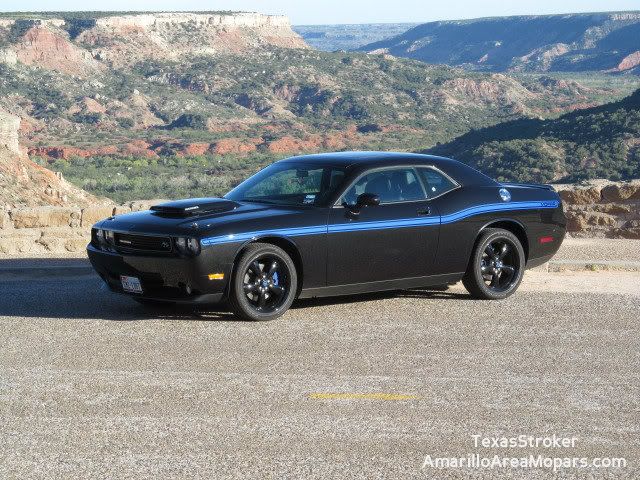
Today, January 15th, 2020 marks the 9 Year Anniversary of when I picked up the Mopar 10!
To celebrate, I started a little earlier this year...like fall of last year early.
I contacted Robin McQueen of Automolove.ca to draft a custom banner of the M10.
I have a lot of subtle, custom changes and Robin was more than willing to work them all in...
The end result is the coolest piece of wall art I own!


If you are interested in picking up a banner for yourself, head over to Robin's website and let him know Lance sent you...
He is an old school Mopar guy and specializes in muscle-era Mopar artwork!

https://automolove.ca/

Friday, January 15, 2016

5 Years of the Mopar 10

Another year, another milestone!

It is VERY hard to believe that 5 Years ago today, I flew down and picked up the Mopar 10...I would have rolled into town just a few hours ago.

The Mopar 10 has remained an absolute join to pilot and there have been no significant issues, although the factory tires are finally getting close to their last tread.  The car hasn't been driven as much these past few months as I have had a few projects in-line for it that have been held up by other obligations.  It got parked and treated to the black lug nuts in early September mainly due to TWO tires having nails in them.


I have never been a fan of Goodyear tires...this is solely based on my experience with the factory Wranglers on my 01 Ram.  They had the worst tread wear I have ever seen.  Looking at the mileage, 12k is about where they really started to run empty and that is about where these F1s are.

However, despite the abysmal mileage on these factory treads, I have found that they actually do hook quite well...the downside to that is they pick up rocks very easily due to the softer compound...it isn't as bad as the Mickey Thompson Indy Profile S/S tires on the Duster, but it is not far behind.

Needless to say, I am pretty sure that some point in this year I'll have to spring for some new tires.  Last I checked, F1s were very expensive, so I will likely look elsewhere, but aside from the wear rate I can't complain about these F1s.  For anyone wondering, my likely choice will be a set of Nittos.  I've had very good luck with them in the past...

Also of note, I drove the M10 home from work tonight with NO HEADLIGHTS.  I mean technically they were in there, but neither side was connected.  It wasn't dark, but it was probably within the "sunset window."  Work got out a little later than planned, but the park lights got me home (I like the sinister look just the park lights lends pretty much any vehicle).  Nonetheless, I got back with enough daylight to snap a few pics before pulling the Chally in...

Interesting enough, at this time last year I was talking about a "Bright Idea" essentially an idea to upgrade the factory headlights, which are very lackluster.  If you haven't put 2 and 2 together yet, that is exactly why the factory bulbs are out...well the passenger side anyway...and the driver's side is there, just disconnected.  As soon as time allows (possibly tomorrow?), I will get out and finish up that upgrade.  It will be a big difference and I will finally be able to see down the road.  If you have anything past a base model Challenger, you likely have better headlights than the M10.  They are just the standard halogen bulbs like the 01 Ram has.  For some reason, likely the front fascia, the light output is abysmal.  I drive a lot of back roads (see also, no street lights) and the factory headlights perform slightly better than the sealed beams the Charger use to have...or in other words, I could tape Maglites (the flashlight...no one talks about those anymore) to the fenders and have an upgrade.

Given that this is now 2016 and lighting technology has progressed big time, I find that unacceptable and took action, as promised, last year.  As with most things, plans didn't exactly go as planned with the parts...I have come across quite the situation, one which I've not seen documented anywhere.  The case in point is that components manufactured to a certain spec. are in fact not compatible.  Imagine if you needed (2) 1/2-13 x 2 1/2" Bolts for a project.  You have (1) in your stock pile and it fits great...you go to the store and buy one and it doesn't fit.  You then go to another hardware store and they sell the same one that is threaded differently.  You hit up a 3rd store and ask for a 1/2" x 2 1/2" with coarse thread...take it home and no bueno.  The bolt fits each stores nuts, but you are left wondering why your old bolt, that specs out on the thread gauge as the classic 1/2-13 threads in perfect and the "new" bolts don't.  It wasn't a bolt that gave me this trouble, but rather a connector and I've yet to get an answer from anyone.  In my opinion this is classic outsourcing coupled with a lack of quality control.  People will run into this issue over time and I'm sure across other models, but my big hope is that it is corrected at the source!

Anyway, I have found a fix and naturally, it requires the end user to modify beyond reasonable measures, the aftermarket parts...I will do just that and we will make it work.

That is all for now...I still can't believe it has already been 5 Years, but I look forward to even more time with the Mopar 10.

If you are a Mopar 10 Owner, are you on the Registry?  If you are an Original Owner, you should be, or already have hit your 5 Year Anniversary!  What did you do?  Any upgrades?  How long did your factory F1s last?  Check these links out and I hope you are enjoying your Mopar 10 as much as myself.

Mopar 10 Registry: http://www.mopar10registry.com/
Mopar 10 Forum: http://www.lonestarmopars.com/mopar10/forum/
Mopar 10 Twitter: http://twitter.com/Mopar10Registry
Mopar 10 Facebook: Click Here
Mopar 10 Forum's 5 Year Thread: 5 Year Anniversary


Monday, January 27, 2014

2013 Mopar Online Top Eliminator

Today was a great day for the M10.

I rolled in to work on a very chilly January day (topped out in the mid 20s, single digit windchills all day) and was greeted by a package...a very, large box with lots of packing material.

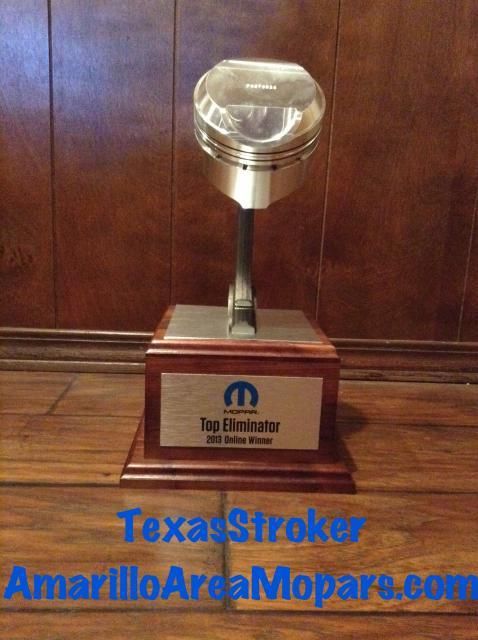
Turns out it was for good reason as the Mopar Online Top Eliminator trophy was inside!  I have to say, it is much bigger than I expected and looks great!


Despite the car being less than spotless, we snapped a few pics on break.

A big thanks to everyone that helped spread the word and voted for the M10!

More to come shortly!

Wednesday, October 16, 2013

Mopar Top Eliminator 2013: I'm a Finalist and Need Your Vote!

Well, this is a pretty big honor...

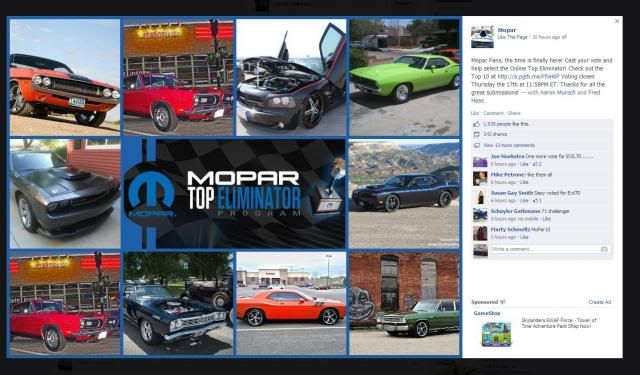
My Mopar 10 is one of Ten Finalists for the 2013 Mopar Top Eliminator Program!

The catch is, to win, you have to garner a lot of votes.  The contest is run through the Mopar Facebook Page.  I am not big on Facebook, and the vast majority of my friends don't even have profiles.   A few have said they can vote without being on Facebook, others have to be signed in...

Either way, I would appreciate your support.

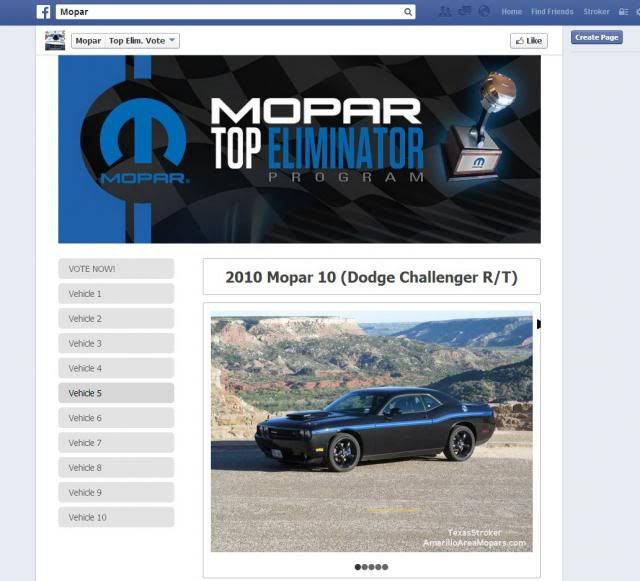
My Mopar 10 is "Vehicle #5."

You can vote once every 24 Hours!  Please vote and spread the word to your friends.  Here is the contest link: http://a.pgtb.me/FfxH6P

Thanks in advance for any support!

Image

Image

Monday, March 12, 2012

Wiring Your Aftermarket Radio with a PAC Harness

This is a work in progress, last edits were made 3/13/2012 @ 1:03 AM

Let's take a better look at the PAC C2R-CHY4

As much as it sucks to have to shell out over $100 for one of these, the fact of the matter is the part is worth it.  Sure, you can go in and actually hack up the factory connections, but this makes everything a plug-and-play.  So whether you plan to swap aftermarket head units every few years (gotta have the latest and greatest, right?), or simply think you might some day "return to stock" or sell your Mopar this is the way to go.

The C2R-CHY4 actually comes with two radio harnesses, but only one will "plug-in."  Obviously, you want to use the one that fits.  Electrical connections nowadays don't consist of 8-10 similar plug connectors within 6 inches of each other, but color coded connectors that usually just have one specific male/female counterpart.

I know it would cause people to order incorrectly, but if that meant the price could come down 33-50% by eliminating both harnesses I would be all for it.  I'm sure PAC has learned to just throw both in, but like I said, this thing is pricey.

Let's take a quick look at the wiring, I'll do the basics first:

RADIO CONNECTION (plugs in to the factory connector):

POWER & GROUND


-BLACK=Ground.  See Note A
-YELLOW=Battery 12+ Volt.  See Note B
-BLUE=Antenna On.  See Note C

--Note A: BLACK PAC ties in with your aftermarket radio's black.

--Note B: YELLOW PAC ties in with your aftermarket radio's yellow.

--Note C: PAC BLUE ties in with your aftermarket radio's blue AND the PAC BLUE with WHITE TRACER from the CAN Interface.

SPEAKER CONNECTIONS

FRONT

-FRONT LEFT
--White=Front Left, Positive
--White with Black Tracer=Front Left, Negative

-FRONT RIGHT
--Gray=Front Right, Positive
--Gray with Black Tracer=Front Right, Negative

REAR

-REAR LEFT
--Green-Rear Left, Positive
--Green with Black Tracer=Rear Left, Negative

-REAR RIGHT
--Purple=Rear Right, Positive
--Purple with Black Tracer=Rear Right, Negative

--Note D: These are the standard fare speaker wire connections...You can connect them to your aftermarket radio's harness by simply matching colors and tracers...make sure to get them right, also note that the black tracer will be the NEGATIVE input for the speakers.


CAN INTERFACE CONNECTION


-BLUE with WHITE TRACER=Amplifier Turn on Input.  See Note E
-GREEN=Reverse Gear Output, Positive.  See Note F
-ORANGE with WHITE TRACER=Illumination Output, Positive.  See Note G
-PURPLE with WHITE TRACER=Vehicle Speed Sensor, Pulse.  See Note H
-RED=Accessory Output, 1 Amp.  See Note I
-RED with WHITE TRACER=Parking Brake Output, Negative.  See Note J
-WHITE with GREEN TRACER=Steering Wheel Control Output.  See Note K

--Note E: PAC BLUE with WHITE TRACER ties in with PAC BLUE and your aftermarket radio's amp turn on.

-Note F: PAC GREEN  ties in with your aftermarket radio's Purple with White Tracer.

-Note G: PAC ORANGE with WHITE TRACER ties in with your aftermarket radio's illumination output.

-Note H: PAC PURPLE with WHITE TRACER=Not used.  Connect for navigation applications.

-Note I: PAC RED ties in with your aftermarket radio's red.

-Note J: PAC RED with WHITE TRACER ties in with your aftermarket radio's parking brake wire.

-Note K: PAC WHITE with GREEN TRACER was not used, applies to Steering Wheel Controls.